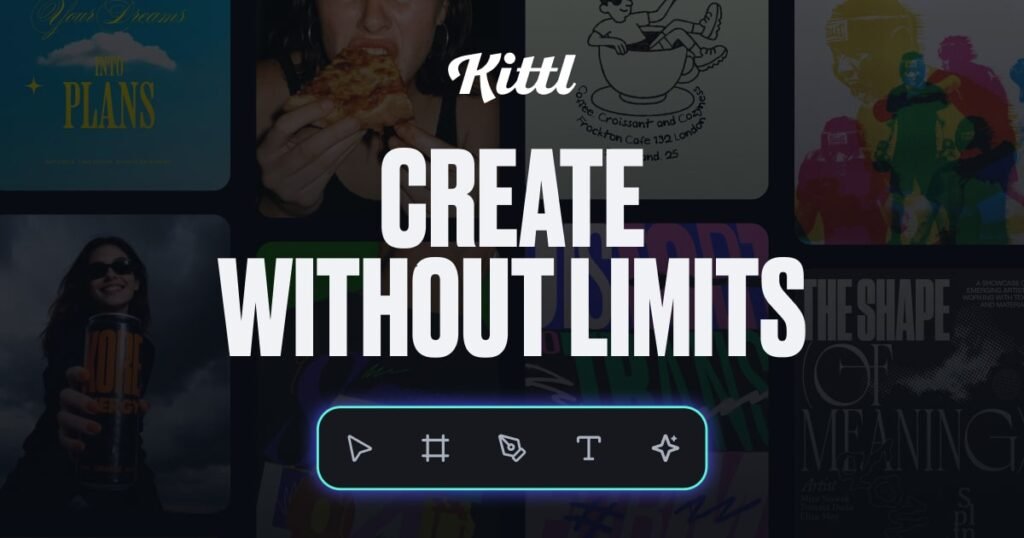


Looking for a Design Tool That Actually Gets AI Right?
The design software landscape in 2026 is crowded. Between Canva, Adobe, Figma, and dozens of niche players, finding the right platform can feel overwhelming. But there’s one platform that has been quietly winning over professional designers, content creators, and brand teams at an astonishing pace: Kittl.
With over 10 million creatives already on board — including designers at Netflix, Uber, Apple TV, Pentagram, Ogilvy, and Harley-Davidson — Kittl isn’t just another design tool. It’s an AI-first design platform built from the ground up for creators who want to work faster, smarter, and with more creative control than ever before.
In this comprehensive review, I’ll break down everything you need to know about Kittl in 2026 — from its powerful AI features and competitive pricing to how it stacks up against Canva and Adobe. Whether you’re a freelance designer, a print-on-demand entrepreneur, or a marketing team leader, this review will help you decide if Kittl is the right fit for your workflow.
What Is Kittl? A Quick Overview
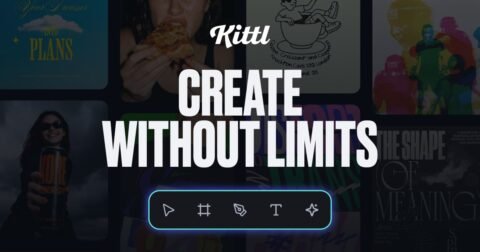
Kittl is a browser-based, AI-first design platform that combines professional-grade vector editing with cutting-edge AI tools — all on an infinite canvas. Unlike traditional design software that bolted AI features on as an afterthought, Kittl was architected with artificial intelligence at its core.
The platform is designed for anyone who creates visual content: graphic designers, brand strategists, social media managers, print-on-demand sellers, small business owners, and creative agencies. It handles everything from logo design and social media graphics to t-shirt artwork, packaging mockups, and marketing materials.
What sets Kittl apart is its philosophy: give creators access to the most powerful AI models available, wrap them in an intuitive interface, and pair them with a massive library of customizable templates and assets. The result is a platform where you can go from idea to finished design in minutes, not hours.
Who Is Kittl For?
Kittl serves a wide range of creative professionals and hobbyists. Here’s a breakdown of the key audiences:
- Graphic Designers & Brand Designers — Professional vector editing, text effects, and high-quality templates make Kittl a serious contender for daily design work. Designers at companies like Netflix and Pentagram already trust it.
- Print-on-Demand (POD) Sellers — Kittl’s vector tools, mockup generator, and commercial licensing make it perfect for creating t-shirt designs, stickers, posters, and merchandise.
- Social Media Managers & Content Creators — Quickly generate on-brand social media graphics, thumbnails, and marketing visuals using AI-powered workflows.
- Small Business Owners — Create professional logos, business cards, packaging, and promotional materials without hiring a designer.
- Marketing Teams & Agencies — Team collaboration features, shared templates, and brand consistency tools streamline creative production at scale.
- Students & Educators — With a free plan and a generous 50% student discount, Kittl is accessible to anyone learning design.
- UX/UI Designers — The infinite canvas and vector editing capabilities make it a flexible environment for prototyping and visual exploration.
Kittl Features: A Deep Dive
Let’s break down every major feature that makes Kittl one of the most feature-rich design platforms available in 2026.
🤖 AI Image Generation
This is where Kittl truly shines. Instead of locking you into a single AI model, Kittl gives you access to multiple world-class AI image generation models, all from within the same canvas:
- OpenAI (DALL·E / GPT Image) — The gold standard for prompt-based image generation with excellent prompt understanding and photorealistic outputs.
- Google Imagen 4 — Google’s latest and most capable image model, known for stunning detail and accurate text rendering in images.
- Flux — The open-source powerhouse from Black Forest Labs, beloved by the creative community for its artistic flexibility and style control.
- Ideogram — Exceptional at generating images with readable, accurate text — perfect for logos, posters, and typography-heavy designs.
- ByteDance Models — High-quality image generation from TikTok’s parent company, offering unique stylistic capabilities.
Having all these models under one roof means you can experiment, compare outputs, and pick the best result for your project — without jumping between different apps or subscriptions. This alone can save you hundreds of dollars per year on separate AI image generation tools.
🎬 AI Video Generation
Kittl has expanded beyond static images into AI video generation. Create short animated content, product videos, and motion graphics directly within the platform. This feature is particularly valuable for social media content creators who need eye-catching video content without learning complex video editing software.
⚡ Smart Flows
Smart Flows are Kittl’s automated design workflows — think of them as intelligent design assistants that can batch-process tasks. Need to resize a design for 10 different social media platforms? Smart Flows handle it. Want to apply your brand colors and fonts across multiple templates? Smart Flows automate the tedious work so you can focus on creativity.
🖼️ Background Remover
Kittl’s AI-powered background remover produces clean, precise cutouts in seconds. Whether you’re working with product photos, portraits, or complex scenes, the tool handles fine details like hair, transparent objects, and intricate edges with impressive accuracy. No more manual masking or paying for separate background removal services.
🔍 Image Upscaler
Need to enlarge an image without losing quality? Kittl’s AI upscaler intelligently increases resolution while preserving sharpness and detail. This is invaluable for print-on-demand sellers who need high-resolution artwork or designers working with low-res client assets.
✏️ Vectorizer
Convert any raster image (PNG, JPG) into a clean, scalable vector graphic with one click. Kittl’s vectorizer is fast and produces surprisingly accurate results — perfect for turning AI-generated images or sketches into production-ready vector files that can be scaled to any size without losing quality.
🎨 Vector Editing
Unlike many “design” platforms that only let you drag and drop pre-made elements, Kittl offers genuine vector editing capabilities. Edit paths, nodes, curves, and shapes with precision. It’s not a full replacement for Illustrator in every edge case, but for 90% of design work, Kittl’s vector tools are more than capable — and far more intuitive.
🔤 Text Effects
Kittl is famous for its text effects engine. Apply professional-grade distressing, 3D effects, textures, gradients, outlines, shadows, and vintage lettering styles to your typography. These aren’t basic drop shadows — they’re the kind of high-quality text treatments that used to require hours of manual work in Photoshop or Illustrator.
📦 Mockups
Visualize your designs on real-world products with Kittl’s built-in mockup generator. T-shirts, hoodies, mugs, phone cases, tote bags, packaging, business cards — place your design on any product in seconds with realistic lighting and perspective. Essential for POD sellers and client presentations.
📐 Customizable Templates
With 10,000+ premium templates (and growing), Kittl gives you a massive head start on any design project. Templates span categories like social media posts, logos, t-shirt designs, posters, flyers, business cards, presentations, and more. Every template is fully customizable — change colors, fonts, images, and layout to make it your own.
♾️ Infinite Canvas
Work without boundaries. Kittl’s infinite canvas lets you spread out your ideas, work on multiple design variations side by side, and organize your creative process visually. It’s like having an endless whiteboard that also happens to be a professional design studio.
👥 Team Collaboration
Invite team members, share projects, leave comments, and collaborate in real time. Kittl’s team features make it easy for agencies and in-house teams to maintain brand consistency and streamline their creative workflows. Shared asset libraries ensure everyone works with the same approved brand elements.
AI Models: Why Kittl’s Multi-Model Approach Matters
One of the most compelling reasons to choose Kittl over competitors is its multi-model AI strategy. Here’s why this matters:
Every AI image model has strengths and weaknesses. OpenAI excels at photorealism and prompt understanding. Google Imagen 4 produces stunning detail and handles text in images better than most. Flux gives you incredible artistic control and style flexibility. Ideogram is unmatched for typography-heavy designs. ByteDance models offer unique aesthetic options.
By giving you access to all of these models in one platform, Kittl lets you:
- Compare outputs — Generate the same prompt across multiple models and pick the best result
- Match models to tasks — Use Ideogram for a logo concept, switch to Flux for an artistic illustration, then use Imagen 4 for a product photo
- Save money — Instead of subscribing to ChatGPT Plus, Midjourney, Ideogram Pro, and others separately, one Kittl subscription covers all your AI image generation needs
- Stay current — As new models are released, Kittl adds them to the platform, so you always have access to the latest and greatest AI capabilities
This multi-model approach is a genuine competitive advantage that no other design platform currently matches.
Kittl Pricing: Plans Compared (2026)
One of Kittl’s biggest strengths is its transparent, affordable pricing. Here’s a detailed breakdown of all available plans:
Free Plan — $0/month
- 5 projects
- 200 AI tokens (one-time allocation)
- Access to 1M+ free assets
- Basic export options
- Perfect for trying out the platform and casual use
Pro Plan — $15/month (or $12/month billed annually)
- Unlimited projects
- 2,000 AI tokens per month
- 10,000+ premium templates
- 10GB cloud storage
- Commercial license included
- Priority support
- All AI models available
- Background remover, upscaler, vectorizer
Expert Plan — $35/month (or $26/month billed annually)
- Everything in Pro, plus:
- 6,000 AI tokens per month
- Access to 100M+ curated assets
- 100GB cloud storage
- Enhanced commercial license
- Priority rendering and processing
- Advanced export options
💰 Cost Savings: Kittl estimates that teams can save up to $4,185 per year compared to subscribing to comparable tools separately (Canva Pro + Midjourney + Adobe Creative Cloud + stock photo subscriptions + background removal tools).
🎓 Student Discount: Kittl offers a generous 50% discount for students, making the Pro plan available for just $6-7.50/month. This is one of the best student deals in the design software space.
Payment & Security: All payments are processed through Stripe with 256-bit SSL encryption. Cancellation is easy and can be done at any time from your account settings — no hoops to jump through, no retention calls, no hidden fees.
Kittl vs. Canva: How Do They Compare?
Canva is the obvious comparison, and it’s a tool many creators are already familiar with. Here’s an honest breakdown:
| Feature | Kittl | Canva |
|---|---|---|
| AI Image Models | 5+ models (OpenAI, Imagen 4, Flux, Ideogram, ByteDance) | Limited to proprietary models |
| AI Video Generation | ✅ Built-in | ✅ Basic |
| Vector Editing | ✅ Full node/path editing | ❌ Limited |
| Text Effects | ✅ Professional-grade | ⚠️ Basic |
| Vectorizer | ✅ One-click | ❌ Not available |
| Image Upscaler | ✅ AI-powered | ⚠️ Limited |
| Infinite Canvas | ✅ | ❌ |
| POD/Print Design Focus | ✅ Excellent | ⚠️ Moderate |
| Pro Price | $12-15/mo | $13/mo |
| Free Plan | ✅ | ✅ |
Verdict: Canva is great for quick, template-driven content. But if you need more creative control, professional vector editing, advanced text effects, or access to multiple AI models, Kittl is the stronger choice. It bridges the gap between Canva’s ease-of-use and professional design tool capabilities.
Kittl vs. Adobe Creative Cloud: Is It Time to Switch?
Adobe Creative Cloud remains the industry standard for professional design work. But at $60+/month for the full suite, many designers are looking for alternatives. Here’s where Kittl fits in:
- Price: Kittl Pro is $12-15/mo vs. Adobe CC at $55-85/mo — a massive savings
- Learning Curve: Kittl is intuitive and browser-based; Adobe tools require significant time investment to master
- AI Integration: Kittl offers more AI models and more seamless AI-to-design workflows than Adobe Firefly alone
- Browser-Based: No heavy software installations; works on any device with a browser
- Where Adobe Wins: Complex photo editing (Photoshop), advanced illustration (Illustrator), video production (Premiere Pro), and publishing (InDesign) are still Adobe’s strengths
Verdict: For the majority of design tasks — especially social media content, branding, POD designs, and marketing materials — Kittl can genuinely replace Adobe at a fraction of the cost. Power users who need Photoshop-level photo manipulation or InDesign-level publishing may still need Adobe for specific tasks, but Kittl handles everything else beautifully.
What Real Users Say About Kittl
Don’t just take our word for it. Here’s what professional designers are saying about Kittl:
“Kittl genuinely blew me away. The text effects alone are worth the subscription, and the AI tools take it to another level. It’s become my go-to for everything from client logos to personal projects.”
— Delaney Bianco, Brand Designer
“What I love about Kittl is that you’re in control. The AI doesn’t take over your design process — it enhances it. I can fine-tune every detail while letting AI handle the heavy lifting.”
— Asia J., UX/UI Designer
These testimonials reflect a common theme: Kittl empowers creators rather than replacing them. The AI tools are powerful, but they’re designed to augment your creativity, not automate it away.
Pros and Cons of Kittl
✅ Pros
- Multi-model AI access — OpenAI, Google Imagen 4, Flux, Ideogram, and ByteDance models all in one place
- Professional vector editing — Real path/node editing, not just drag-and-drop
- Outstanding text effects — Industry-leading typography tools
- Affordable pricing — Pro plan at $12-15/mo with commercial license
- Huge asset library — 1M+ free, 100M+ on Expert plan
- Browser-based — No downloads, works everywhere
- Infinite canvas — Work without constraints
- Print-on-demand friendly — Mockups, vectors, and commercial licensing built in
- Team collaboration — Share projects, assets, and brand kits
- 50% student discount — Accessible to learners
- Easy cancellation — No tricks, cancel anytime
- Saves up to $4,185/year vs. using separate tools
- Trusted by top brands — Netflix, Uber, Apple TV, Pentagram, Ogilvy, Harley
❌ Cons
- AI token limits — Heavy AI users may burn through monthly tokens quickly, especially on the Pro plan
- No offline mode — Being browser-based means you need an internet connection
- Not a full Photoshop replacement — Advanced photo retouching and compositing still require dedicated tools
- Limited free plan — Only 5 projects and 200 one-time AI tokens on the free tier
- Relatively newer platform — While growing fast, the community and third-party resources aren’t as extensive as Canva or Adobe yet
Frequently Asked Questions (FAQ)
Is Kittl free to use?
Yes! Kittl offers a free plan that includes 5 projects, 200 one-time AI tokens, and access to over 1 million free assets. It’s a great way to test the platform before committing to a paid plan. No credit card is required to sign up.
Can I use Kittl designs commercially?
Yes. The Pro plan includes a commercial license, and the Expert/Business plans include an enhanced commercial license. This means you can use your Kittl designs for client work, print-on-demand products, marketing materials, and any other commercial purpose.
What AI models does Kittl support?
Kittl currently supports AI image generation from OpenAI, Google Imagen 4, Flux (Black Forest Labs), Ideogram, and ByteDance models. The platform regularly adds new models as they become available.
Is Kittl better than Canva?
It depends on your needs. Kittl offers superior vector editing, text effects, AI model variety, and print-on-demand tools. Canva has a larger template library and more integrations with third-party platforms. For professional designers and POD sellers, Kittl is generally the stronger choice. For quick social media content from templates, both work well.
Can I cancel my Kittl subscription anytime?
Absolutely. Kittl uses Stripe for payment processing and allows easy cancellation at any time from your account settings. There are no cancellation fees or lock-in periods.
Does Kittl offer a student discount?
Yes! Kittl offers a generous 50% discount for verified students, making it one of the most affordable professional design tools available for learners.
Is Kittl secure?
Yes. Kittl uses 256-bit SSL encryption and processes all payments through Stripe, one of the most trusted payment processors in the world. Your data and payment information are fully protected.
Does Kittl support AI video generation?
Yes. Kittl has introduced AI video generation capabilities, allowing you to create animated content and short videos directly within the platform.
Can I use Kittl for print-on-demand?
Kittl is one of the best platforms for POD sellers. It includes vector editing, a vectorizer for clean scalable files, built-in mockups for product visualization, and commercial licensing on all paid plans. Many successful POD sellers on Etsy, Redbubble, and Amazon Merch use Kittl as their primary design tool.
How does Kittl compare to Adobe Illustrator?
Kittl offers genuine vector editing with node and path manipulation, but it’s designed to be more accessible and intuitive than Illustrator. For most design tasks (logos, illustrations, POD designs, social media graphics), Kittl’s vector tools are more than sufficient. Advanced Illustrator users doing complex technical illustration may still prefer Adobe, but Kittl covers 90%+ of common use cases at a fraction of the price.
Final Verdict: Should You Try Kittl in 2026?
After thoroughly testing Kittl, the answer is a confident yes. It’s rare to find a design platform that successfully combines ease-of-use with professional-grade capabilities, and even rarer to find one that gives you access to five different AI image generation models in a single subscription.
Whether you’re a seasoned designer looking to speed up your workflow, a POD seller creating product designs, or a marketing team producing content at scale, Kittl delivers serious value. The pricing is fair, the feature set is comprehensive, the AI capabilities are unmatched, and the platform keeps getting better with regular updates.
The free plan gives you a no-risk way to try it out, so there’s really no reason not to give Kittl a spin and see if it transforms your creative workflow the way it has for millions of other creators.
🎨 Unleash Your Creativity — Try Kittl Free Today!
Join 10M+ creators who design faster and smarter with Kittl. Access all the latest AI models, pro templates, and powerful design tools — all in one canvas.
Start for free and see the difference!
✅ Free forever plan · ✅ No credit card required · ✅ Cancel anytime